
See the System as It Is
Real screenshots from Haneen Timetables, grouped by module — from school setup to the teacher's daily view. No sign-up needed.
Onboarding & School Structure
A guided wizard verifies your school data step by step before you generate your first timetable.
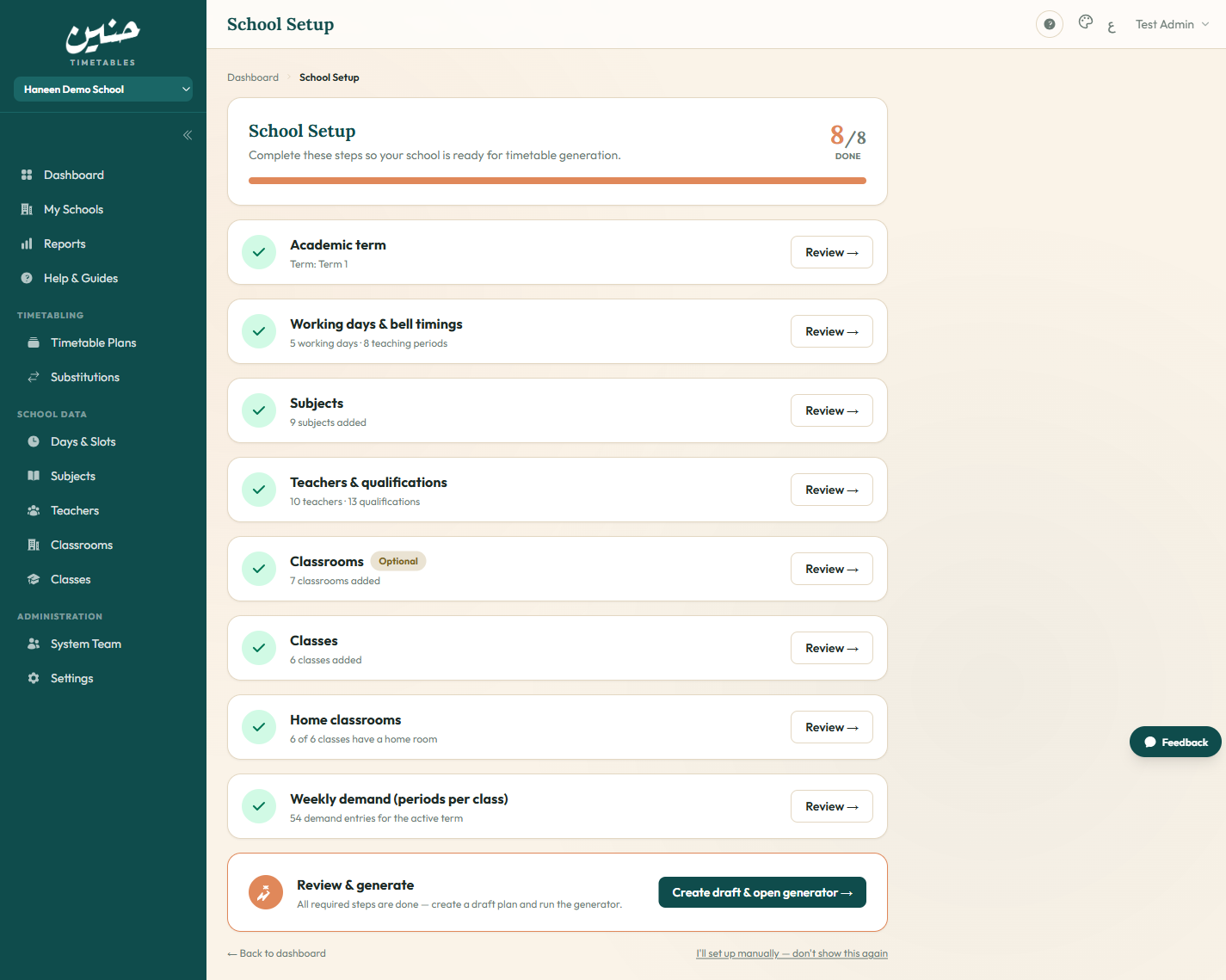
Setup Wizard
Numbered readiness steps with live counters: working days and slots, rooms, classes, subjects — generation stays locked until every prerequisite is met.
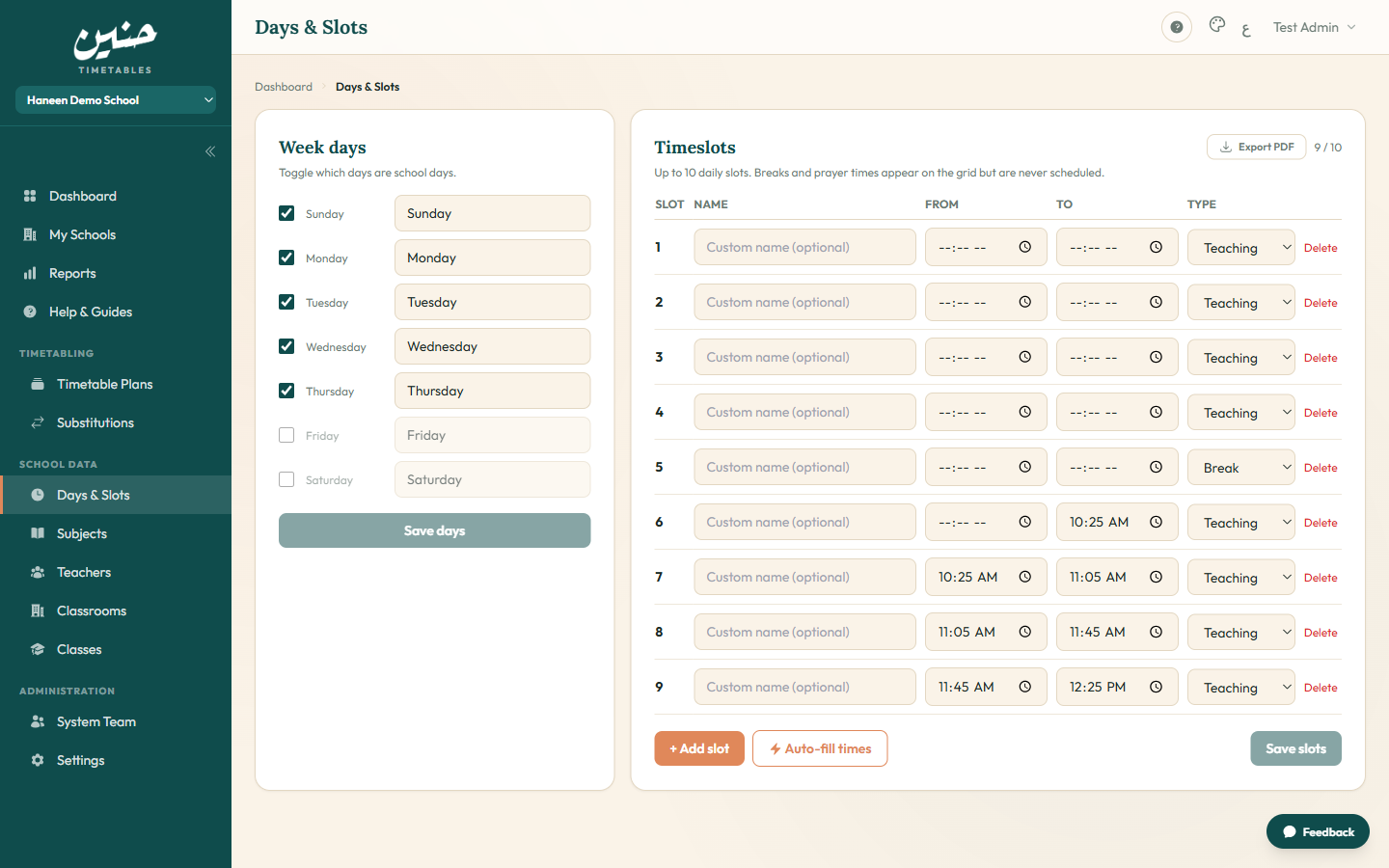
Days & Periods
Enable any working-day set (e.g. Sunday–Thursday) and define up to 10 slots per day typed as teaching, break, or prayer — non-teaching slots are automatically blocked.
School Data
Register subjects, teachers, classrooms, and classes once — reusable every term.
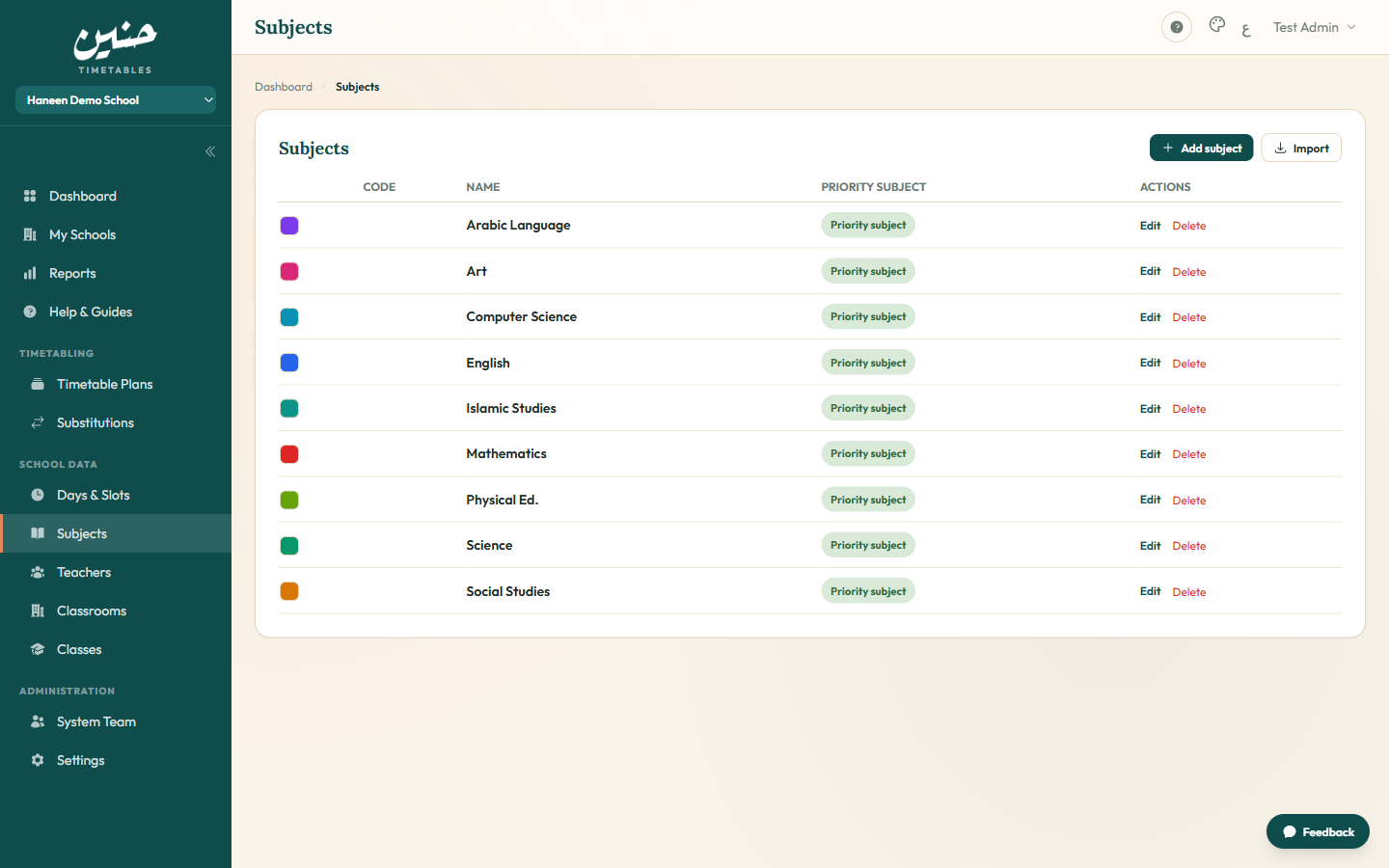
Subjects
Define subjects once and link a secondary subject to its primary so it follows the same teacher in every class.
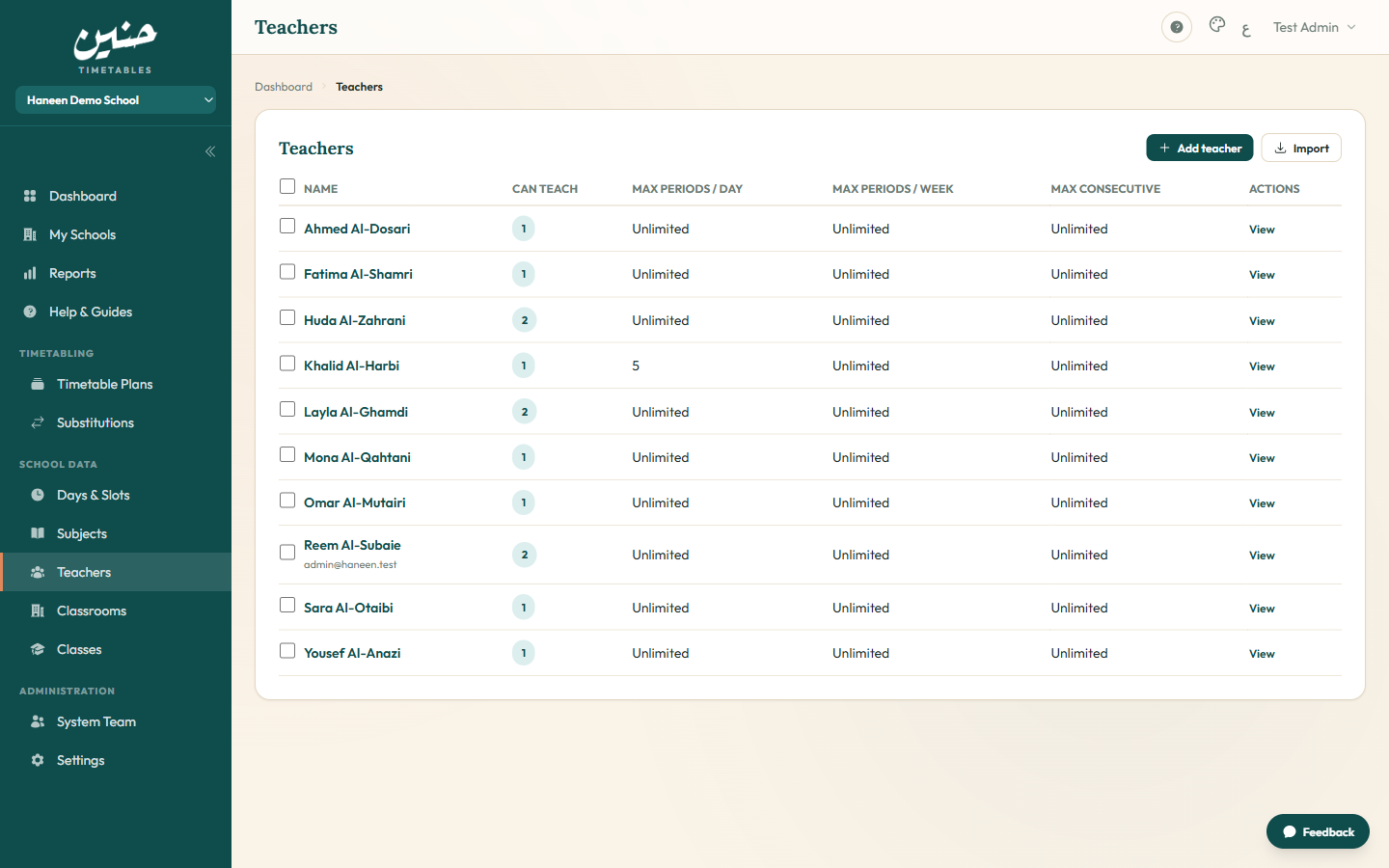
Teachers
Staff list with weekly and daily workload caps at a glance and quick access to each teacher's profile.
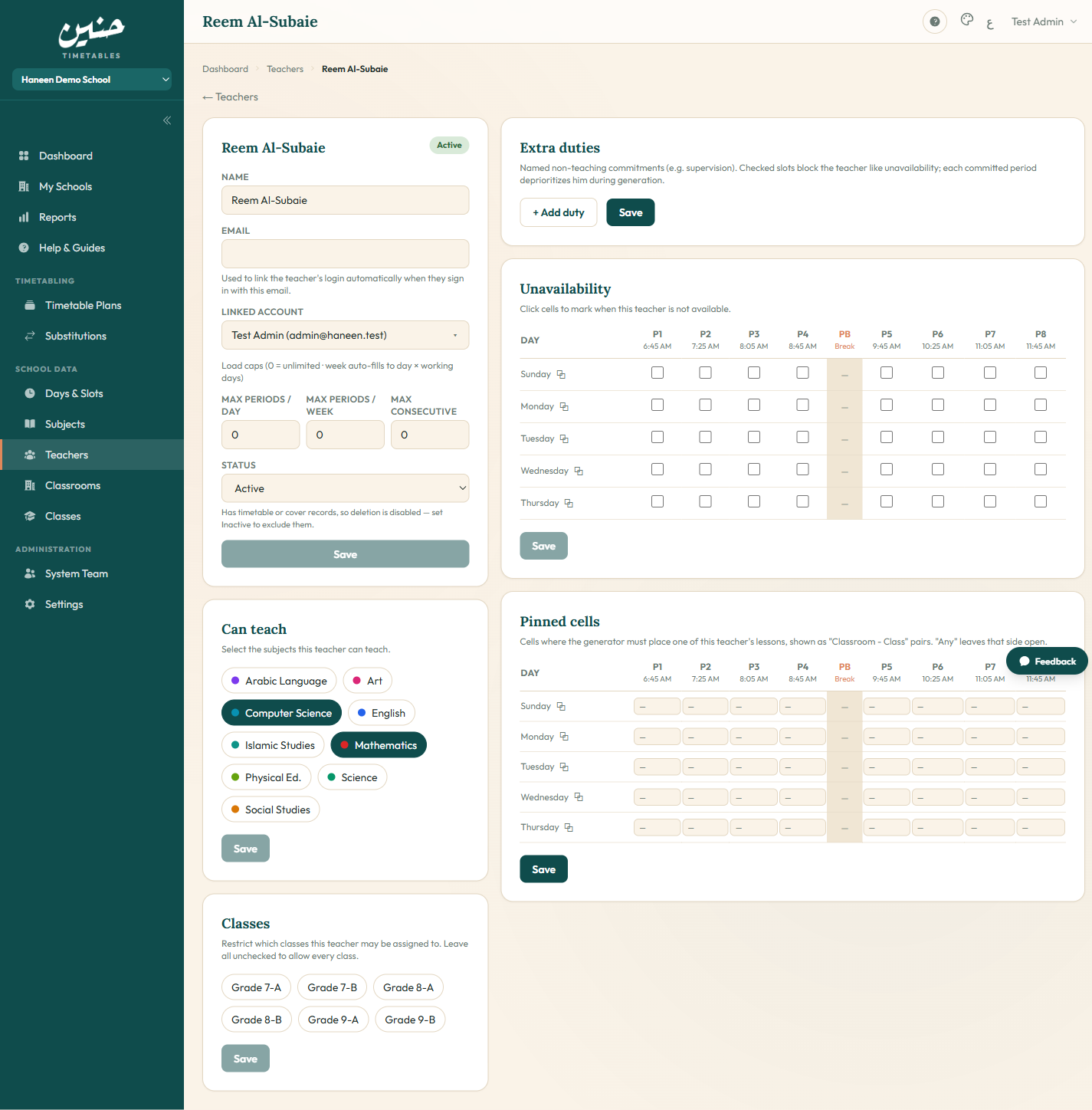
Teacher Detail
Qualifications, workload caps, an unavailability grid, and leave dates — everything the generator knows about one teacher.
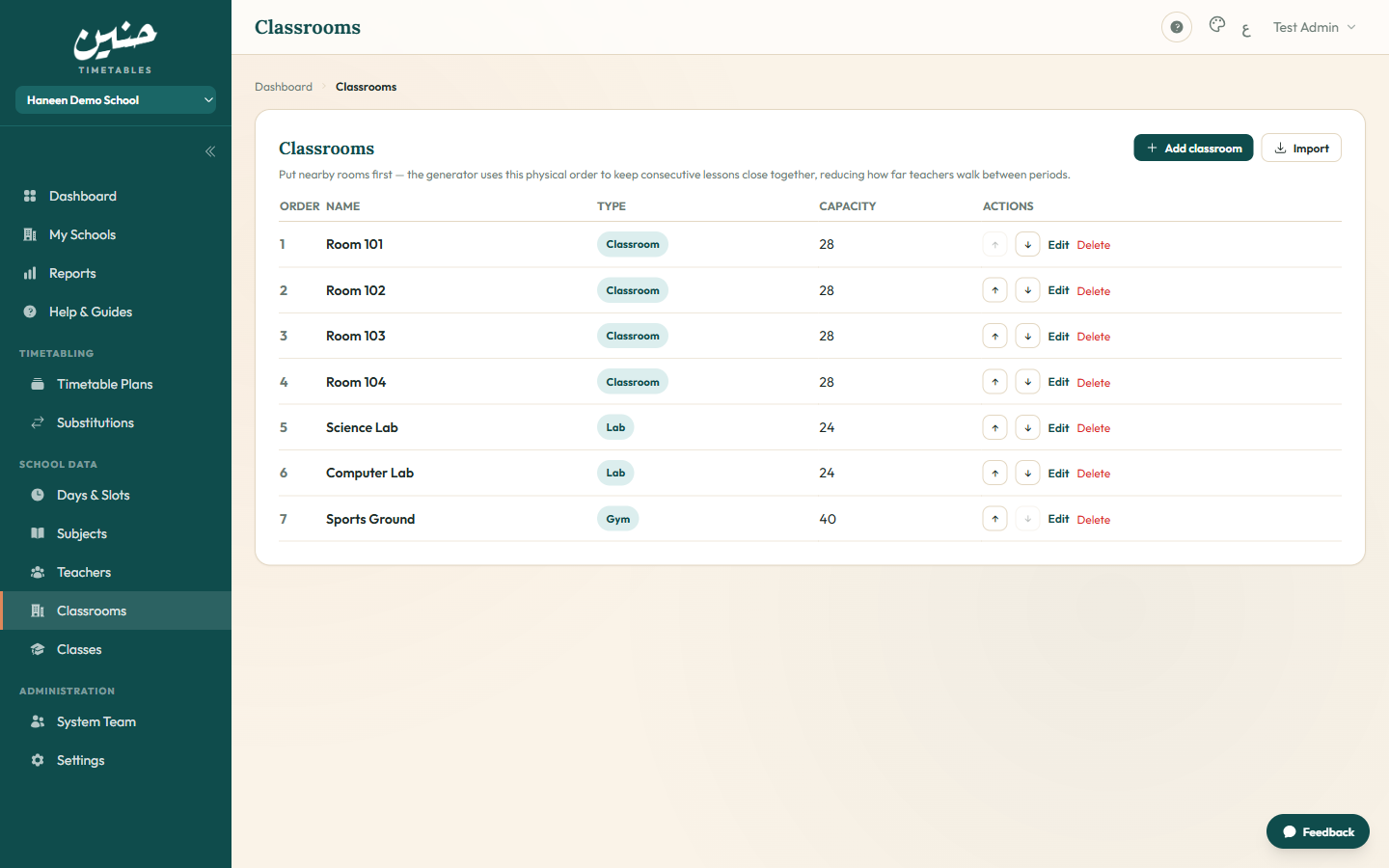
Classrooms
Order rooms to mirror the physical layout — the generator picks the nearest free room to minimize teacher walking between periods.
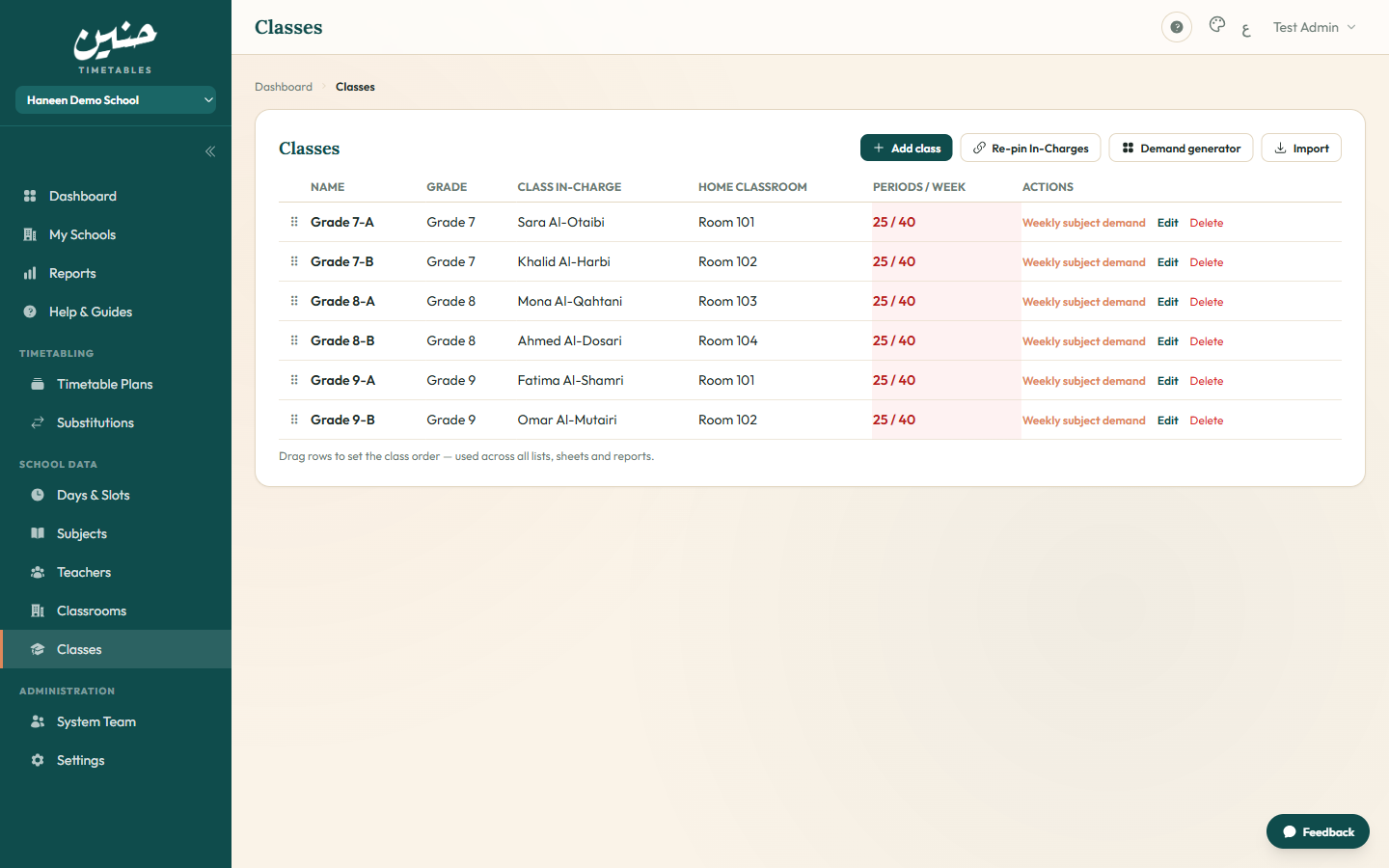
Classes
Drag to reorder classes and assign each a home classroom — the class's lessons anchor to its home room whenever free.
Demand & Plans
Set each class's weekly subject demand, then manage multiple timetable plans in parallel.
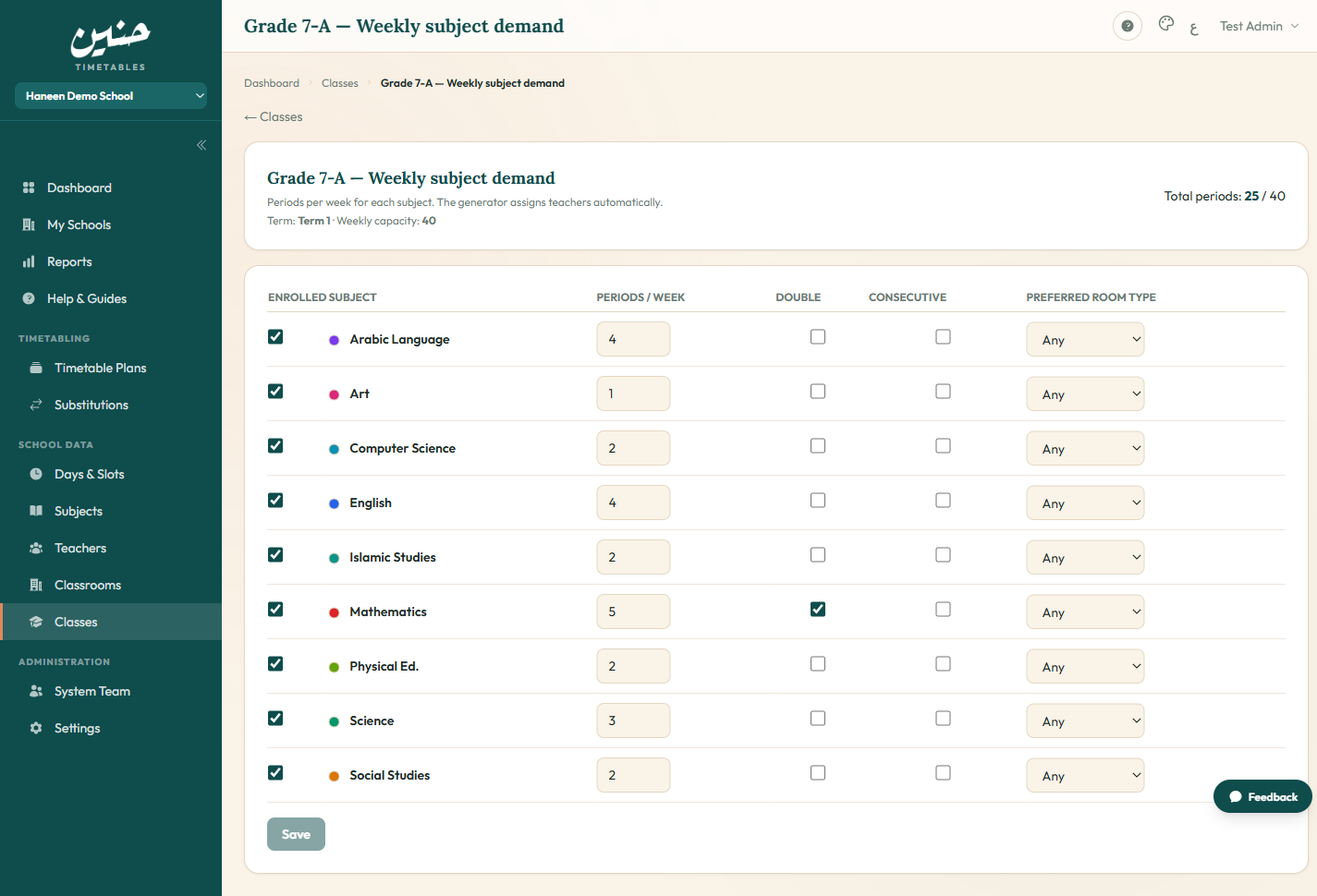
Demand Matrix
Per class and subject: weekly period counts, optional double periods, a preferred room type, and an optional preferred teacher.
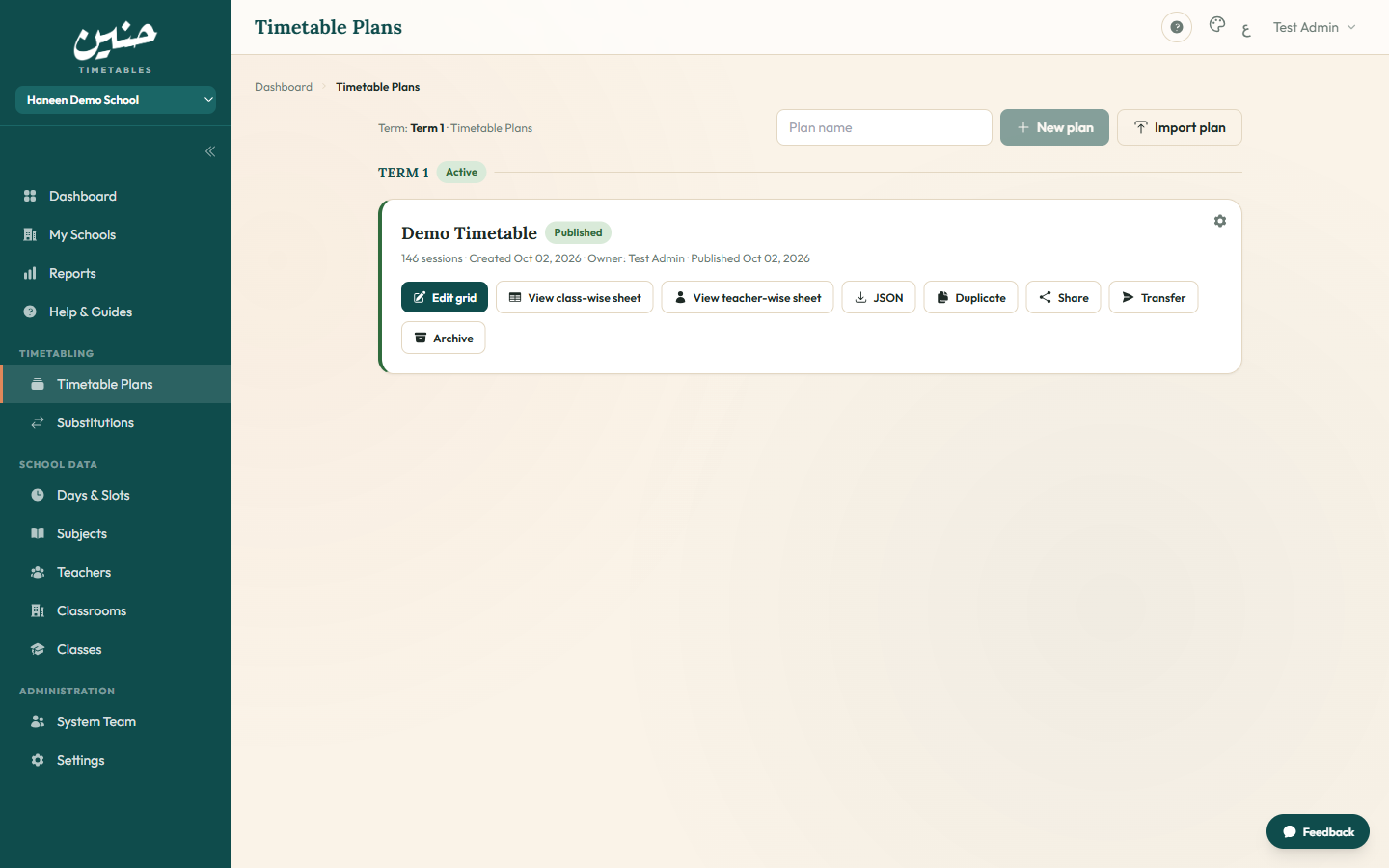
Timetable Plans
Multiple draft plans per term — compare scenarios and publish the best; previously published plans stay archived for rollback.
Generation & Editing
The generator places lessons conflict-free, then hands you a grid editor for manual refinement.
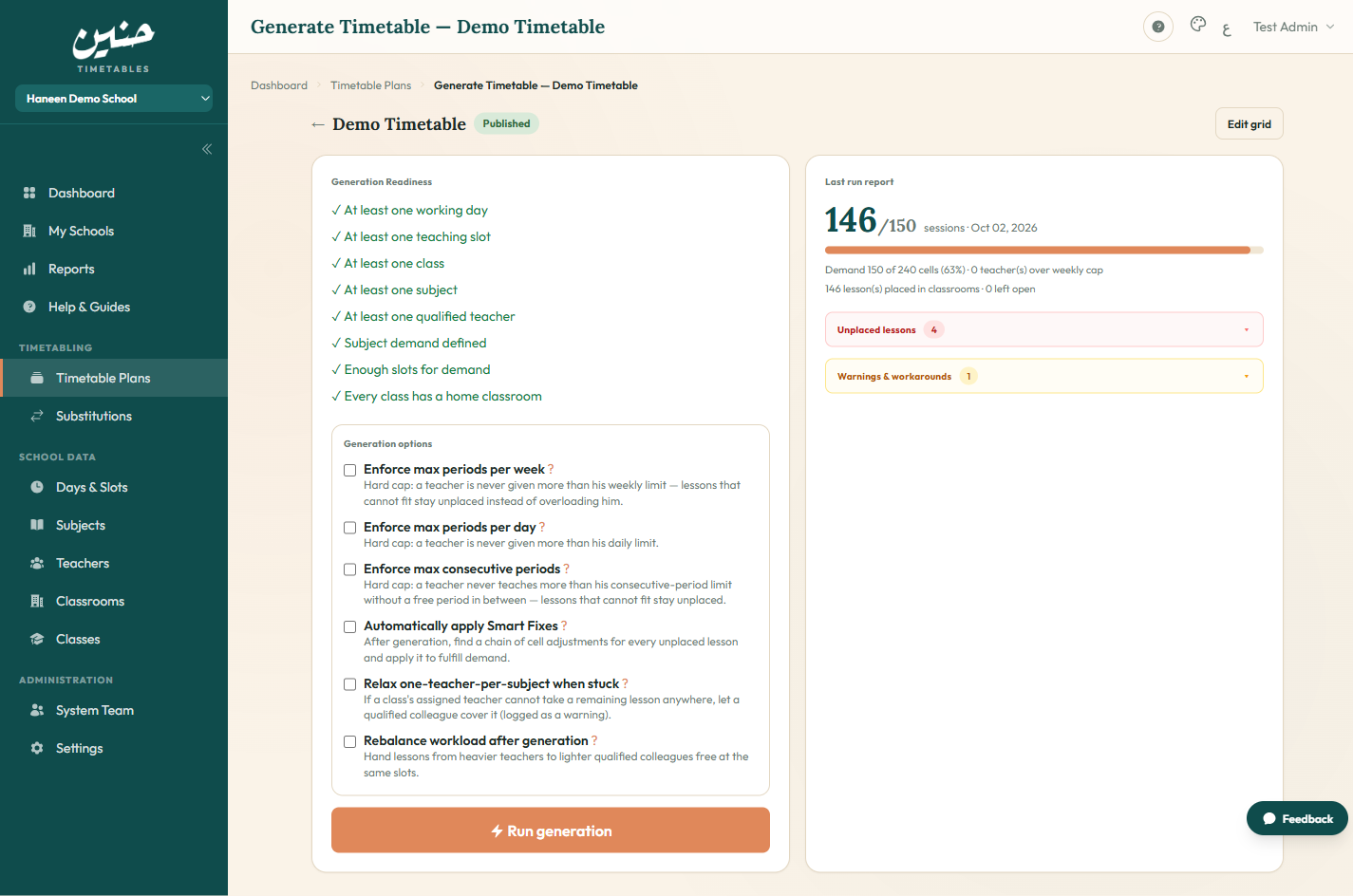
Generate Page
A readiness checklist gates every run, with options to generate a fresh board or fill gaps in the existing draft only.
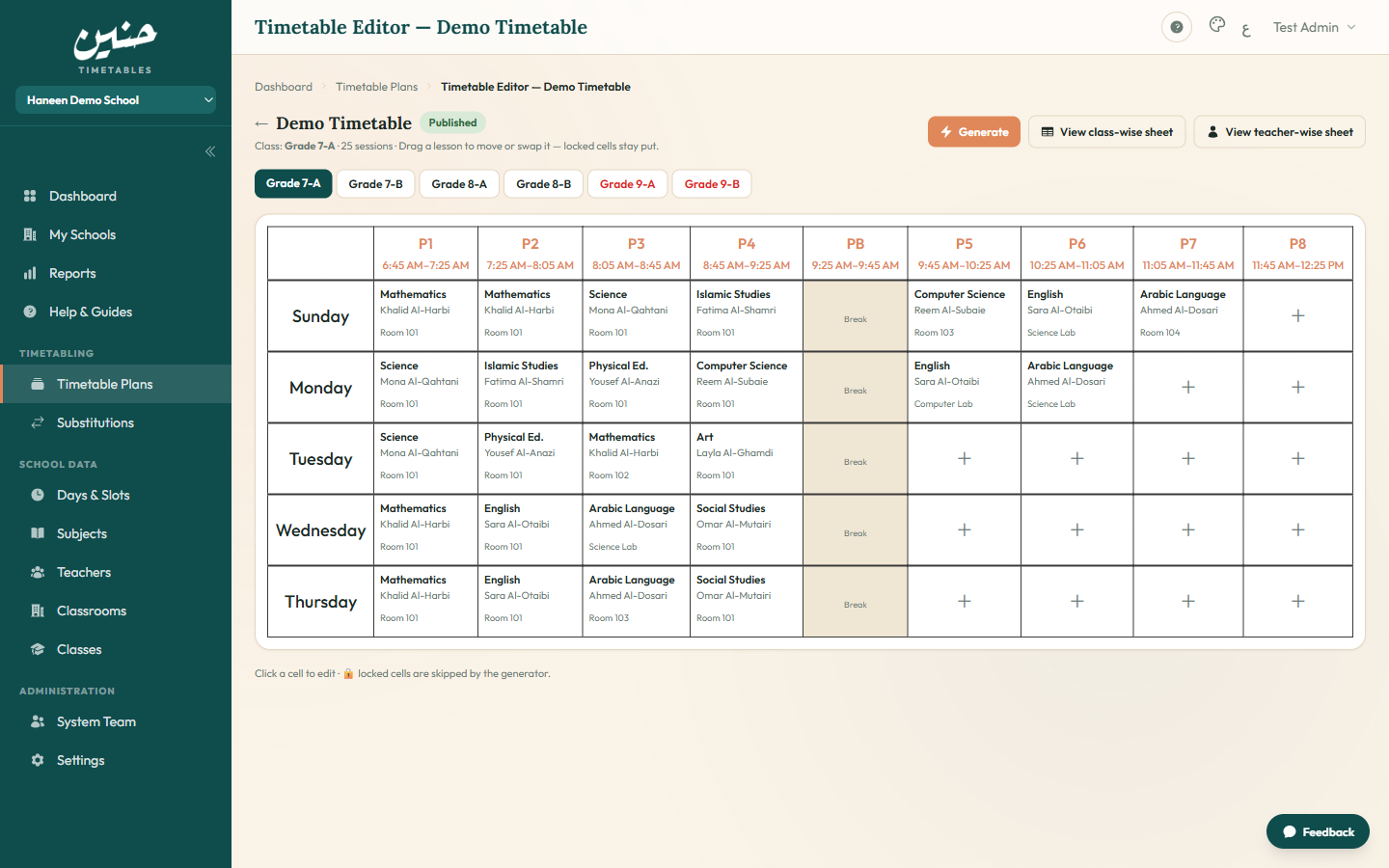
Timetable Editor
An aSc-style grid: drag lessons, swap teachers and rooms, and watch the live conflict counter — every manual edit is re-validated.
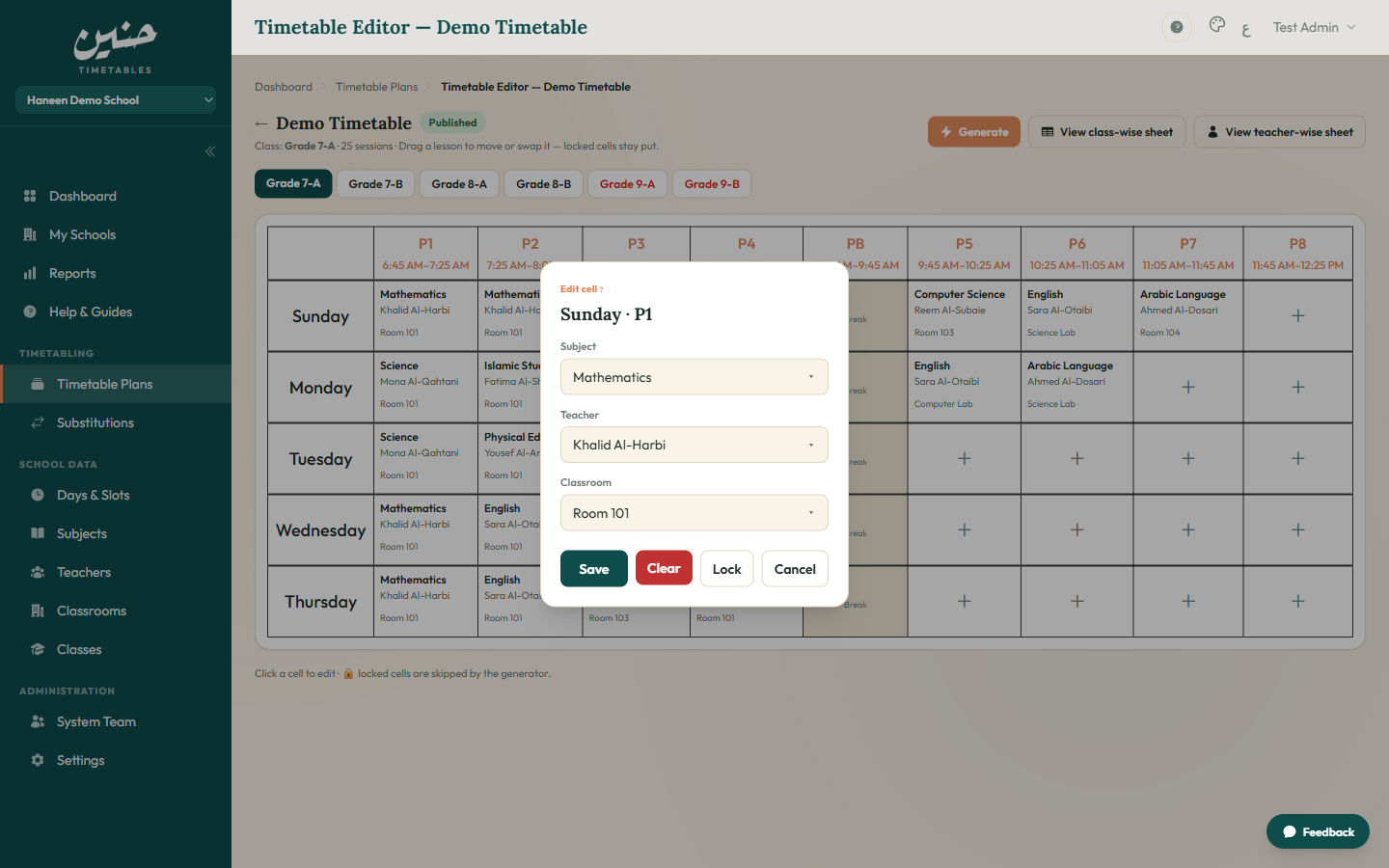
Cell Modal
Any cell opens its eligible subjects, teachers, and rooms for that slot, plus a pin option to protect it from regeneration.
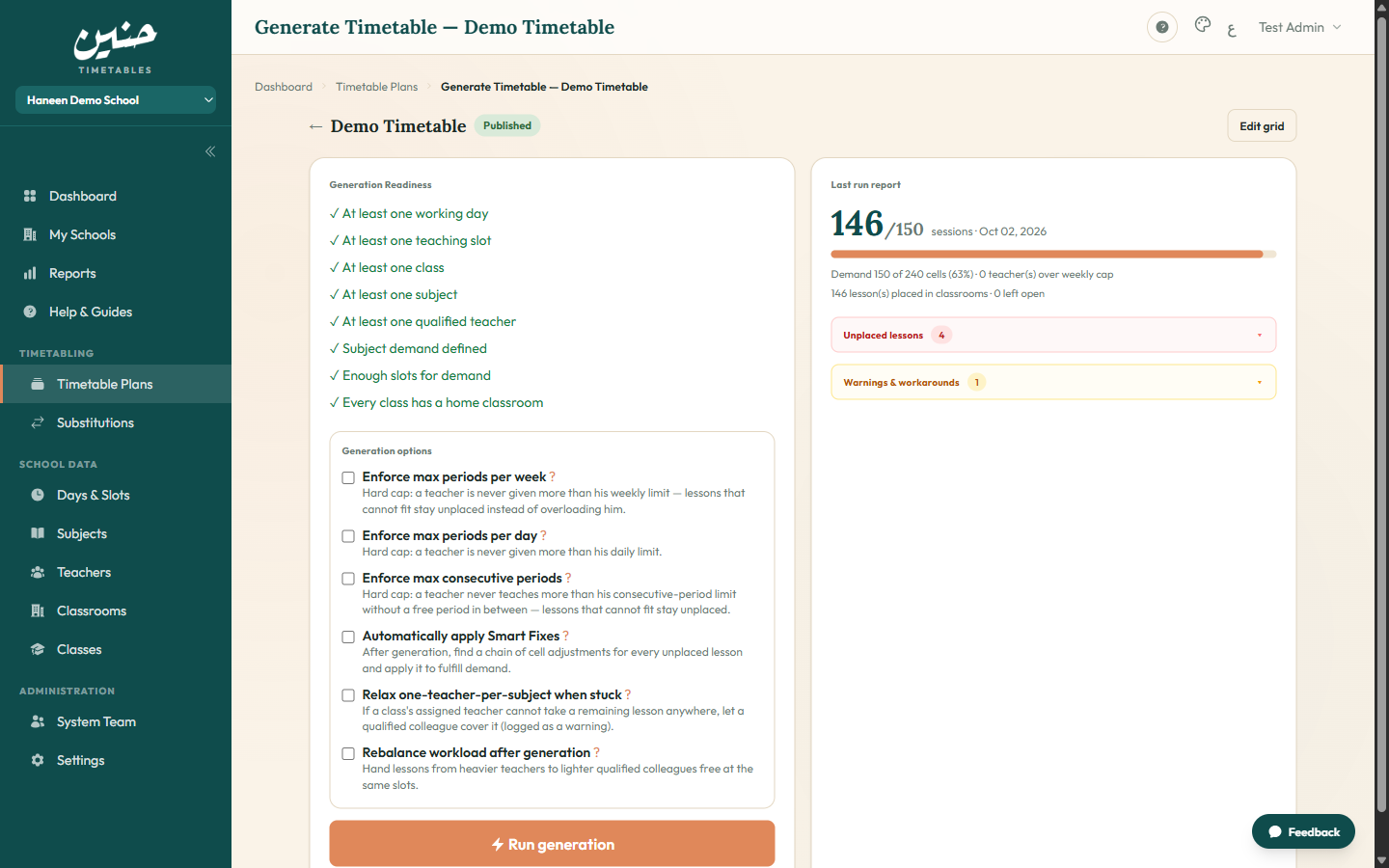
Run Report
After every run: placed vs. unplaced lesson counts, rooms assigned, and a clickable warning list that jumps to each affected cell.
Daily Operations
Publishing, printed sheets, absence covers, and workload reports — everything after the timetable.
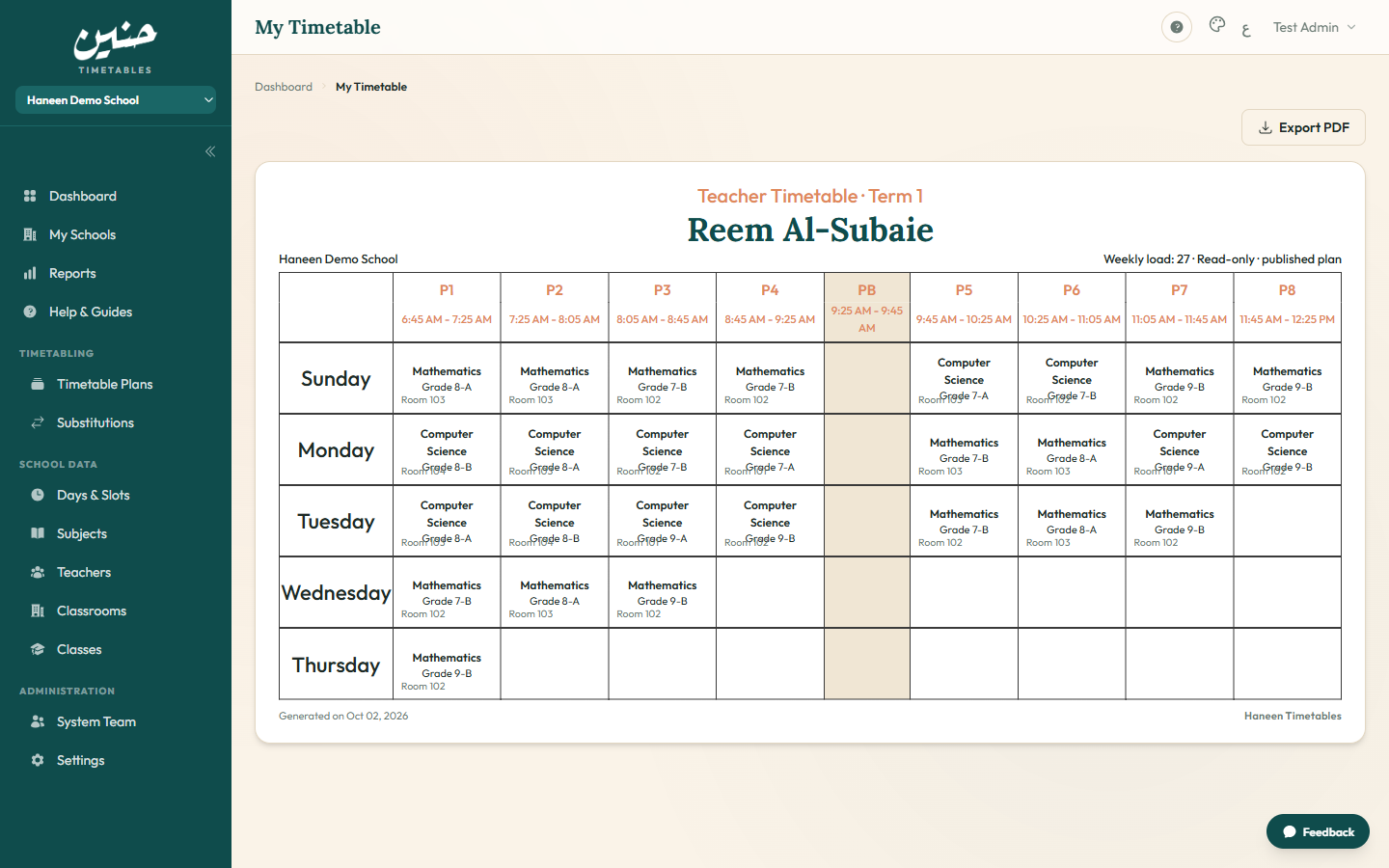
My Timetable
Each teacher sees their own published schedule read-only with today's cover alerts — no access to drafts.
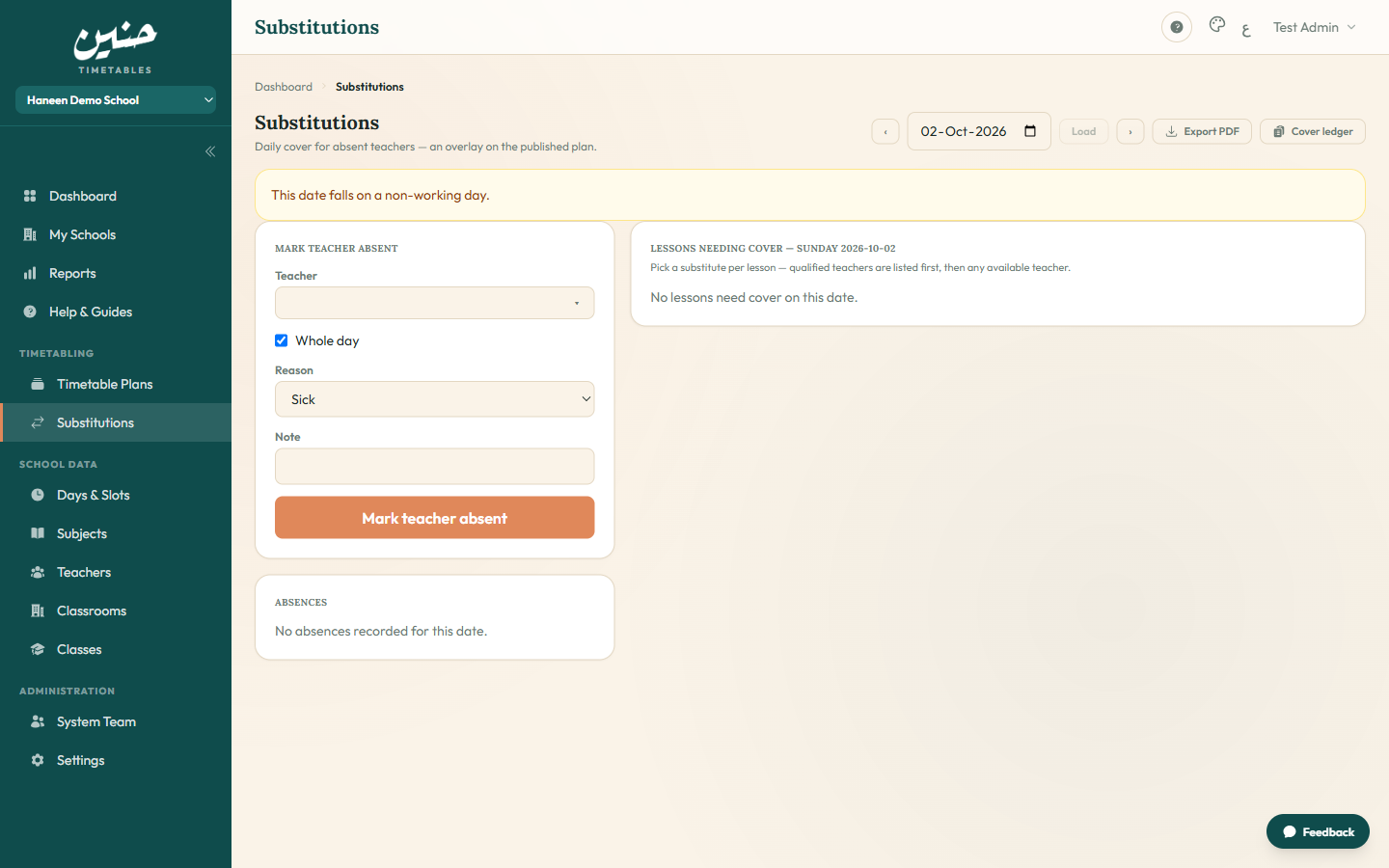
Substitutions
Log a teacher absence and get ranked substitute suggestions by workload and eligibility — with a full coverage log.
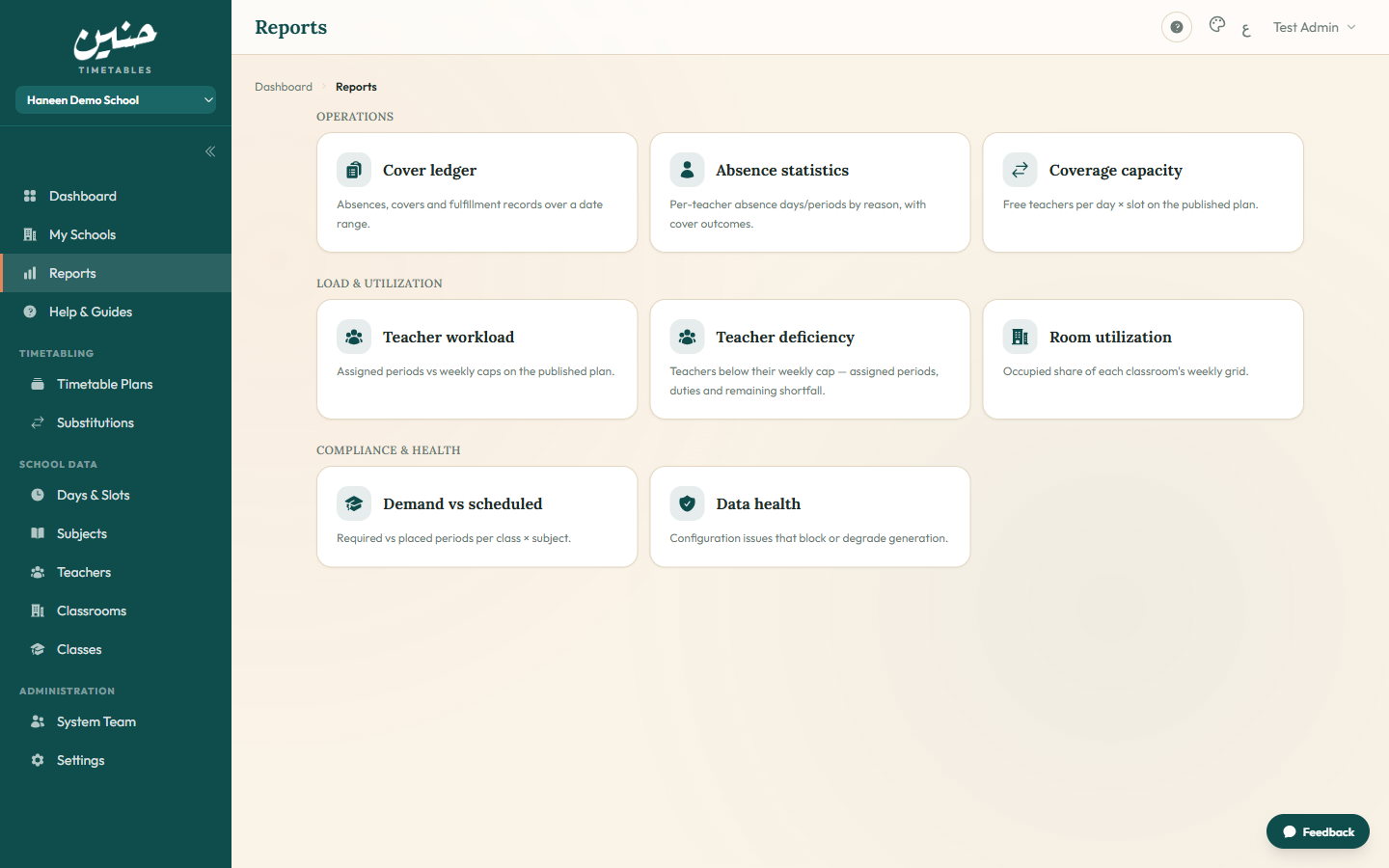
Reports
Teacher workloads versus caps, fair-share distribution, remaining gaps — printable numbers behind every decision.
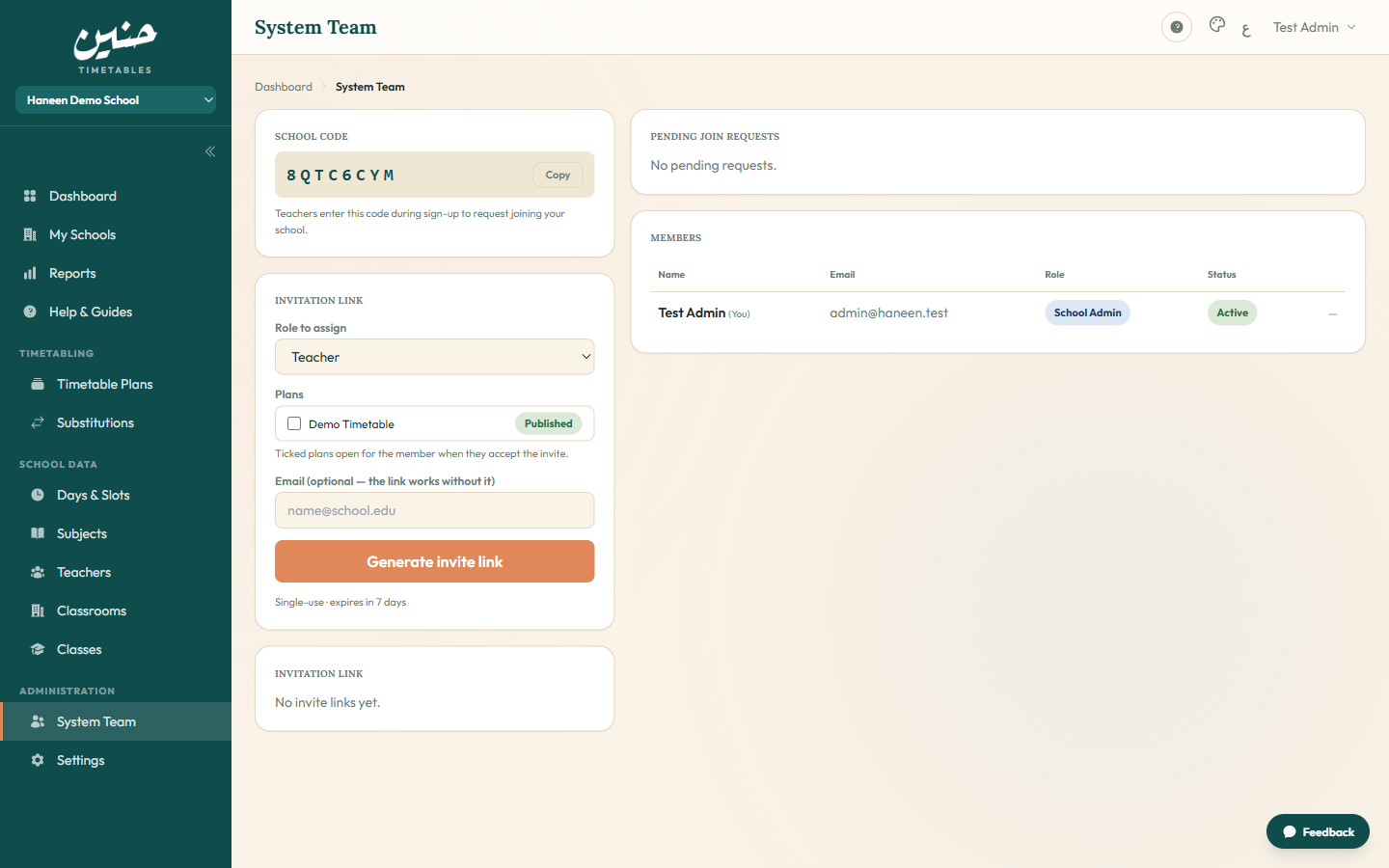
Staff
School members with their roles, the pending join queue, and invite links — all people management in one place.
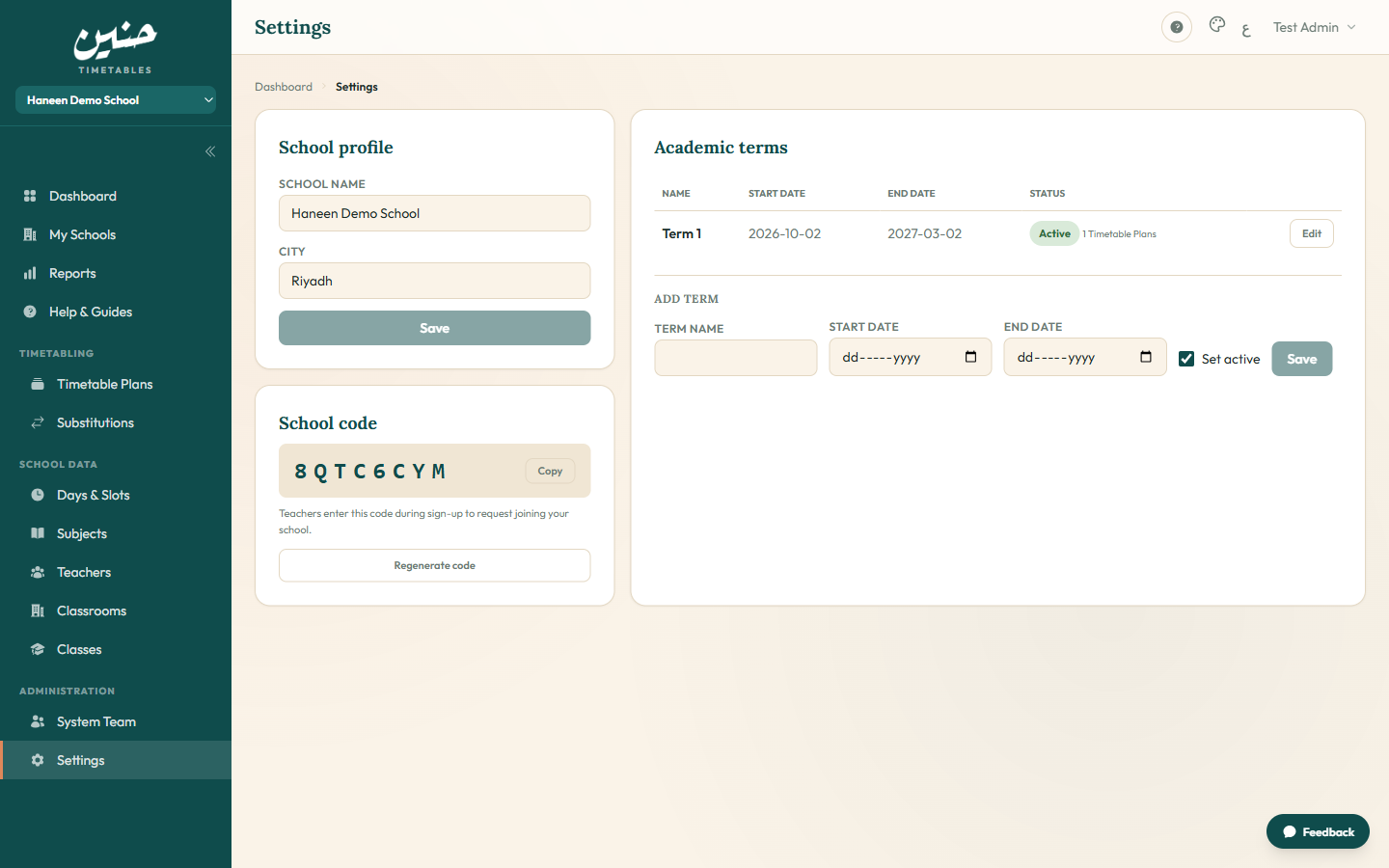
Settings
School profile and branding, default generation options, and printable-sheet template customization.
Ready to try it in your school?
Activate a school voucher in minutes, or browse How It Works for the step-by-step flow.