
Covering an absent teacher in two minutes: the complete daily workflow
Daily substitution is the least glamorous part of timetabling and the most repeated one — every absence, every day, all year. Done by hand it takes a coordinator's morning. Done as a workflow it takes about two minutes. Here is the full sequence, and the records it leaves behind.
Step 1 — Record the absence
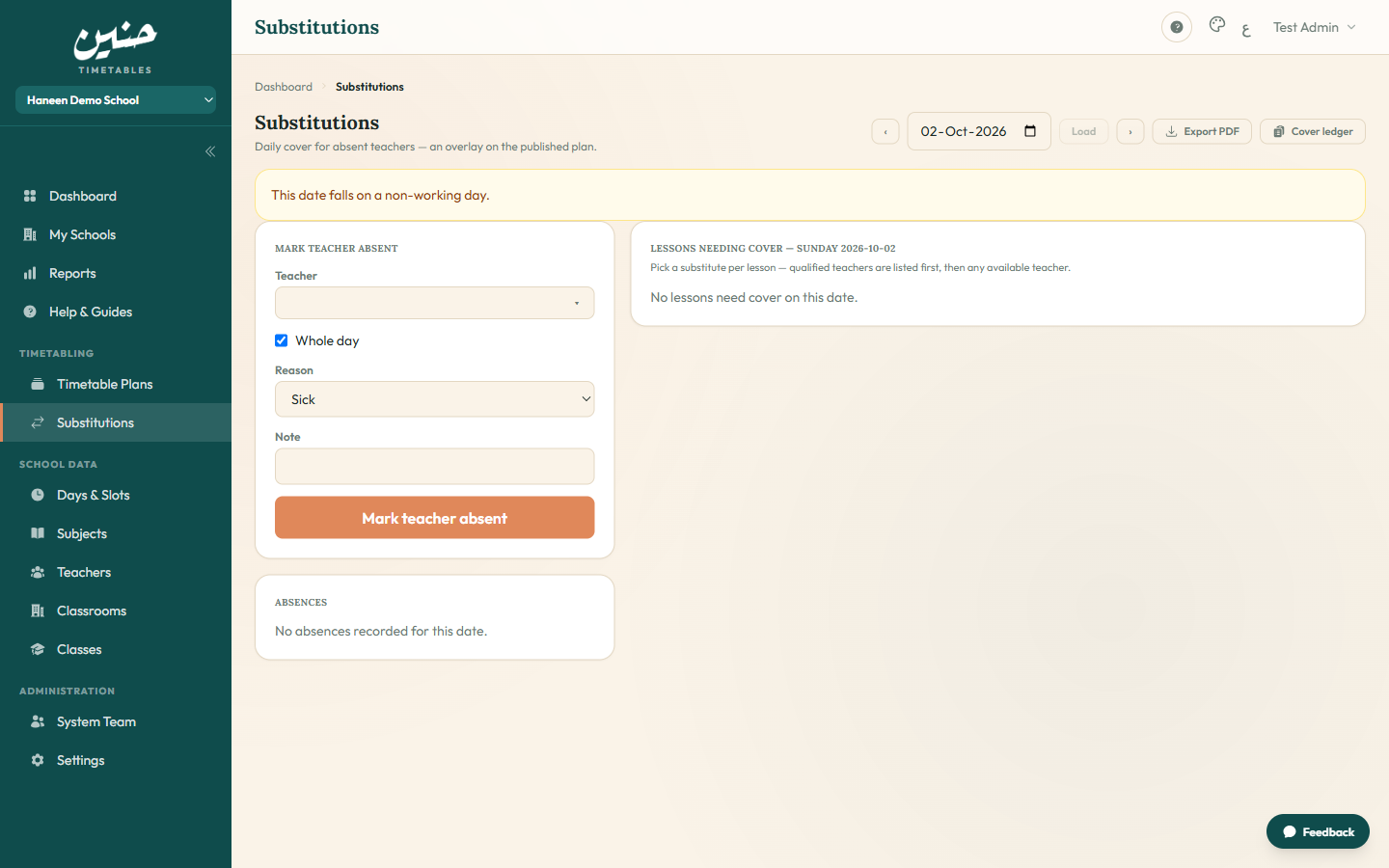
Open Substitutions, pick the date, mark the teacher absent — either the whole day or selected periods (useful for partial leave and official duties). Add the reason: sick, duty, leave, or other. The reason matters later: the ledger distinguishes an emergency from a pattern.
Step 2 — The orphaned lessons appear automatically
The moment the absence is saved, the system lists every lesson that teacher held that day — each one is a classroom about to be unsupervised. Nothing is re-typed, nothing is cross-checked by hand; the published plan already contains the answer.
Step 3 — Pick substitutes from a ranked list
Each affected lesson offers a dropdown of candidates, sorted the way a coordinator thinks:
- Qualified teachers first — a physics lesson gets physics-qualified options on top.
- Context flags — candidates outside the class's usual teachers are marked, as is anyone over their weekly cap.
- Fairness inline — every candidate shows their covers this week, so balance is decided at the moment of choice.
Or skip the picking entirely: auto-assign proposes covers for every lesson at once — respecting qualifications, free periods, caps, and this week's distribution — then you review and adjust before saving.
Step 4 — Notify and run the day
Saving emails each newly assigned substitute automatically — no separate messages, no "did anyone tell her?". A printable daily substitution sheet gives the floor supervisor the whole day on one page: absent teachers, their lessons, and who covers each.
Step 5 — The record closes the loop
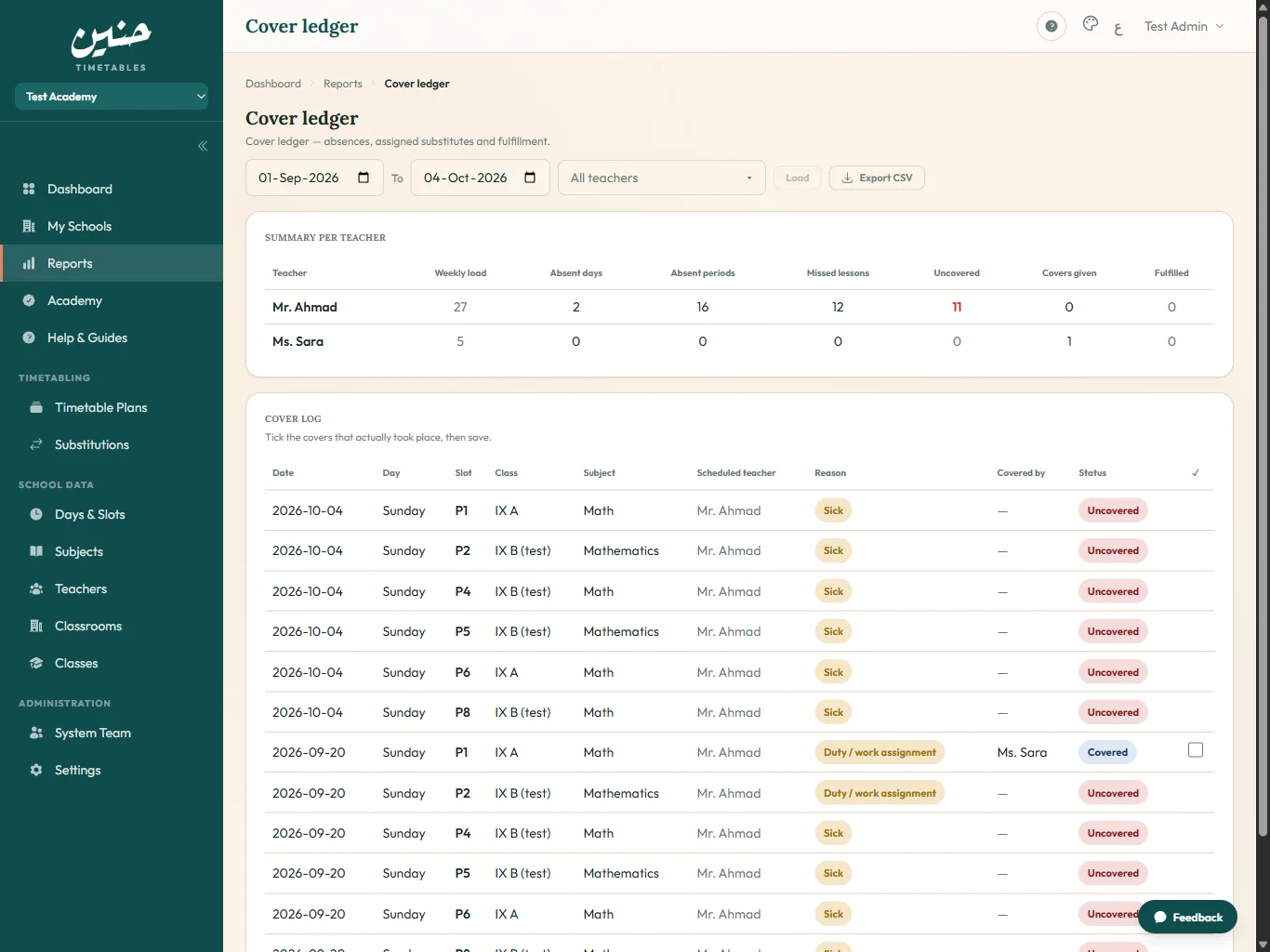
Every saved cover lands in the cover ledger: absent teacher, substitute, lesson, reason, and a fulfilled tick to confirm it actually happened. Over time that ledger powers a coverage report — totals per teacher for any date range, exportable to CSV. This is the record informal systems never produce, and the one that settles every "I always get picked" conversation with numbers.
What to check before your first week
- Publish a timetable plan — the cover overlay reads it, so no plan means no substitutions screen.
- Keep teacher qualifications current; the ranking quality equals the data quality.
- Set weekly caps honestly — "over cap" flags only work if caps exist.
- Tick covers as fulfilled at day's end; the habit is one minute and the record is worth it.
Two minutes a morning, a printable sheet, notified substitutes, and a ledger that makes fairness provable — that is what replacing the corridor scramble actually looks like.